Best Mechanical Keyboards for Office Work
Compare 10 office mechanical keyboards for quiet typing, spreadsheets, wireless work, Mac setups and low-profile desks, using sourced specifications.
A work keyboard earns its place by doing the boring things well. It should not distract colleagues on a call, force you into awkward shortcuts in a spreadsheet, or lose its connection when you move between computers. A higher polling rate, RGB lighting and a dramatic typing sound do not solve any of those problems.
For a shared office, start by looking for a specific silent-switch configuration, not a board advertised as “creamy” or “gasket mounted.” The Epomaker TH80 V2 with Sea Salt Silent V2 switches and the Royal Kludge S98 with Silent Purple switches are two indexed options that explicitly list silent switches. For spreadsheets, compare the full-size Keychron K10 Pro with the smaller, numpad-equipped Keychron K4 Max. For a low-profile desk or commuting, look at the Keychron K3 Max and NuPhy Air75 V2.
These are specification-based matches, not hands-on awards. Thockery has not measured acoustic output, tested wireless performance, or personally typed on these ten boards. The point of the guide is to help you make a defensible shortlist, explain where published specs stop being useful, and link every candidate to its actual keyboard index record.
Top 10 mechanical keyboards for office work: quick picks
Need a fast answer? Match your desk and work routine to one of these ten indexed keyboards. This is a use-case shortlist, not a tested performance ranking. The trade-off is just as important as the feature.
-
Quiet shared office
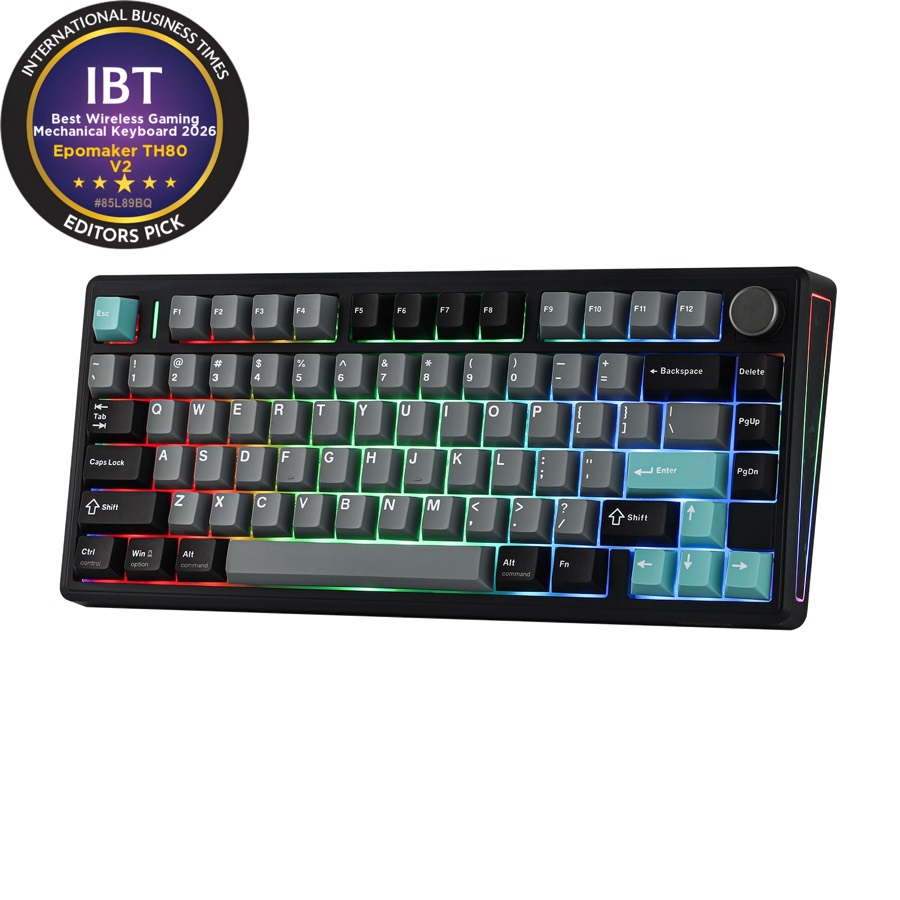 Epomaker TH80 V2
A compact 75% layout with a published Sea Salt Silent V2 switch option.
Check before buying: Select the silent variant. Creamy Jade is a different switch.
Check on Amazon -
Quiet typing + numpad
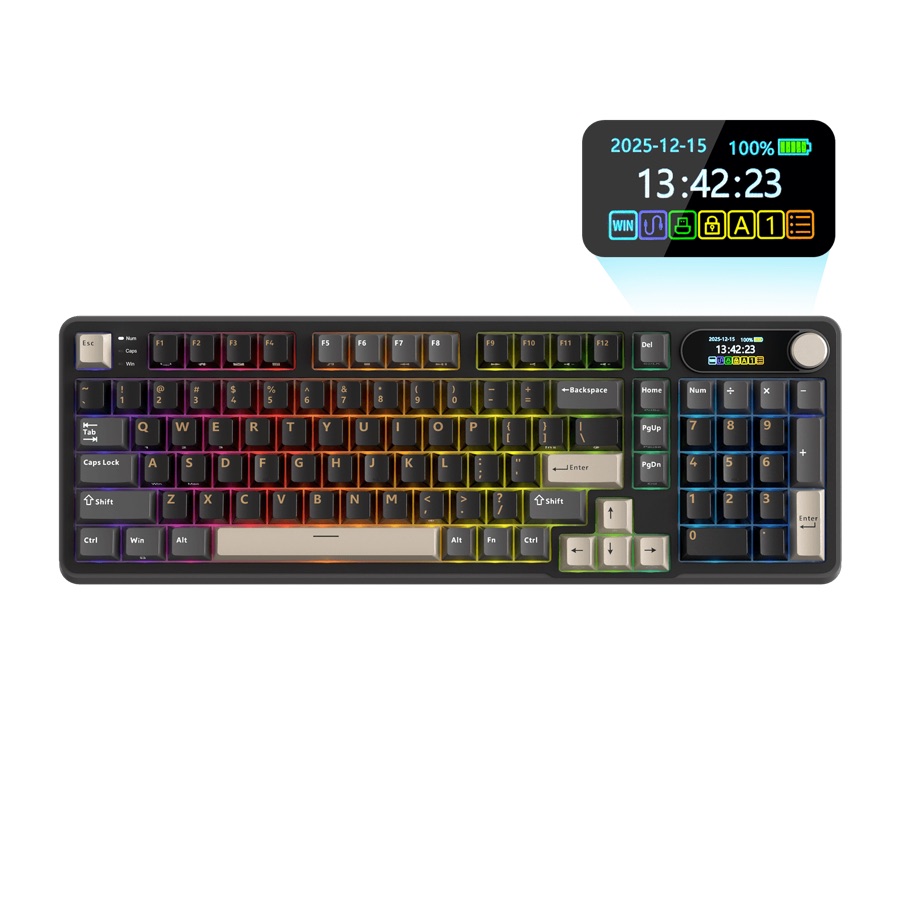 Royal Kludge S98
Compact 96% layout and a documented Silent Purple switch option.
Check before buying: Silent Purple availability varies by region and configuration.
Check on Amazon -
Full-size spreadsheets
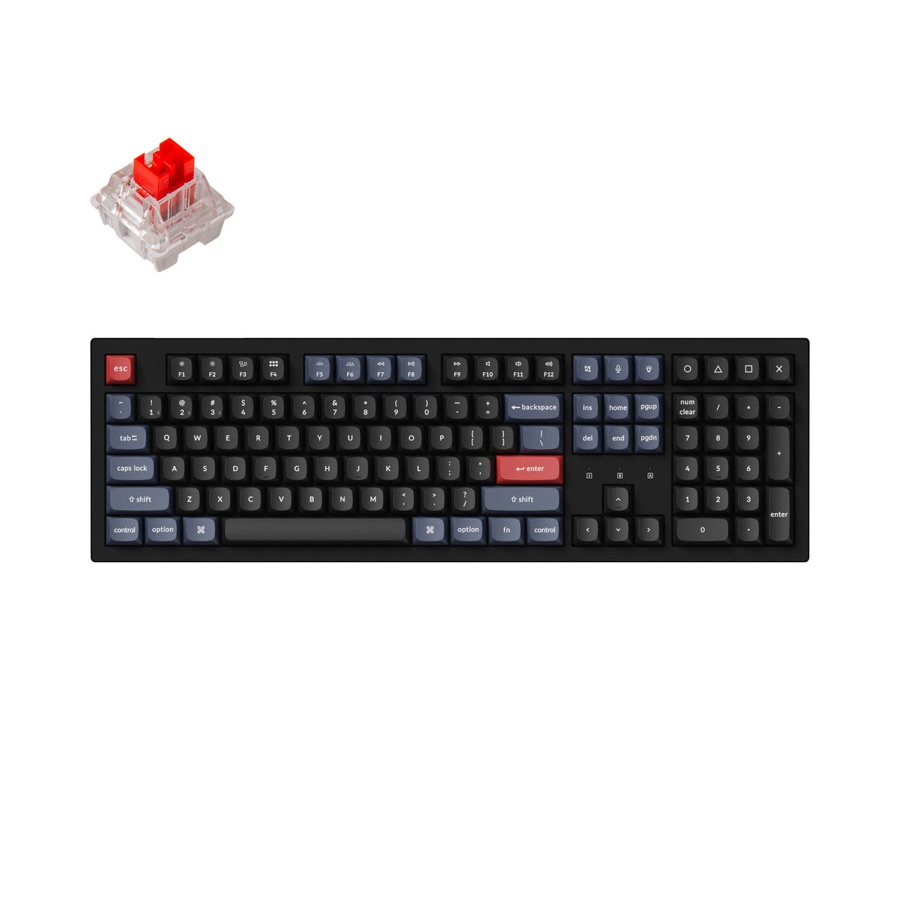 Keychron K10 Pro
Dedicated numpad, separated navigation keys, Bluetooth and wired options.
Check before buying: No 2.4 GHz receiver in the indexed configuration.
Check on Amazon -
Compact spreadsheets
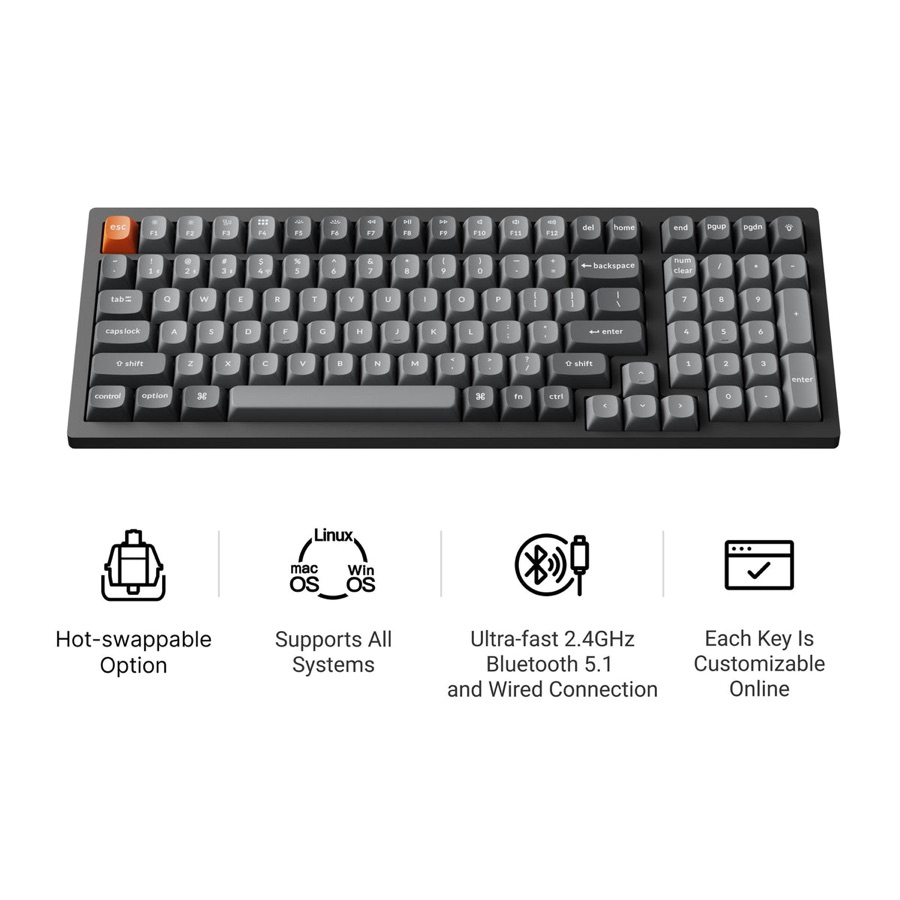 Keychron K4 Max
96% layout keeps the numpad while reclaiming horizontal desk space.
Check before buying: Compressed navigation keys need an adjustment period.
Check on Amazon -
Switching work devices
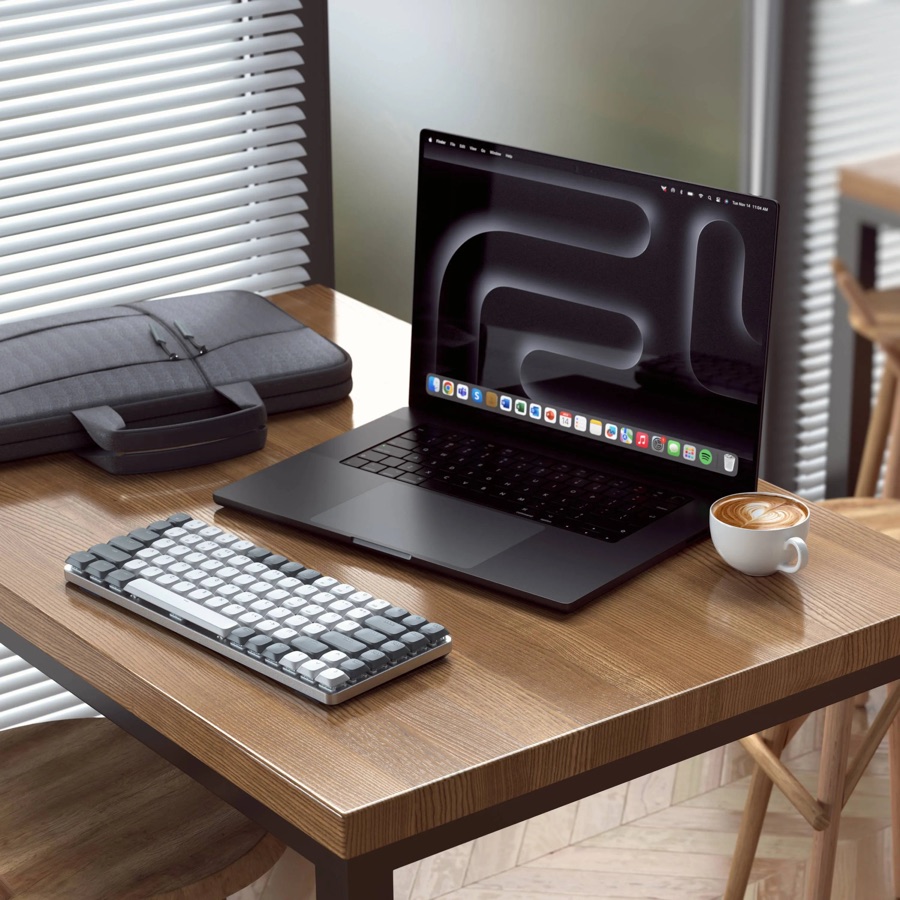 Satechi SM1
Two Bluetooth devices, a 2.4 GHz receiver and wired operation.
Check before buying: No VIA support; low-profile tactile switches are not silent.
Check on Amazon -
Low-profile remapping
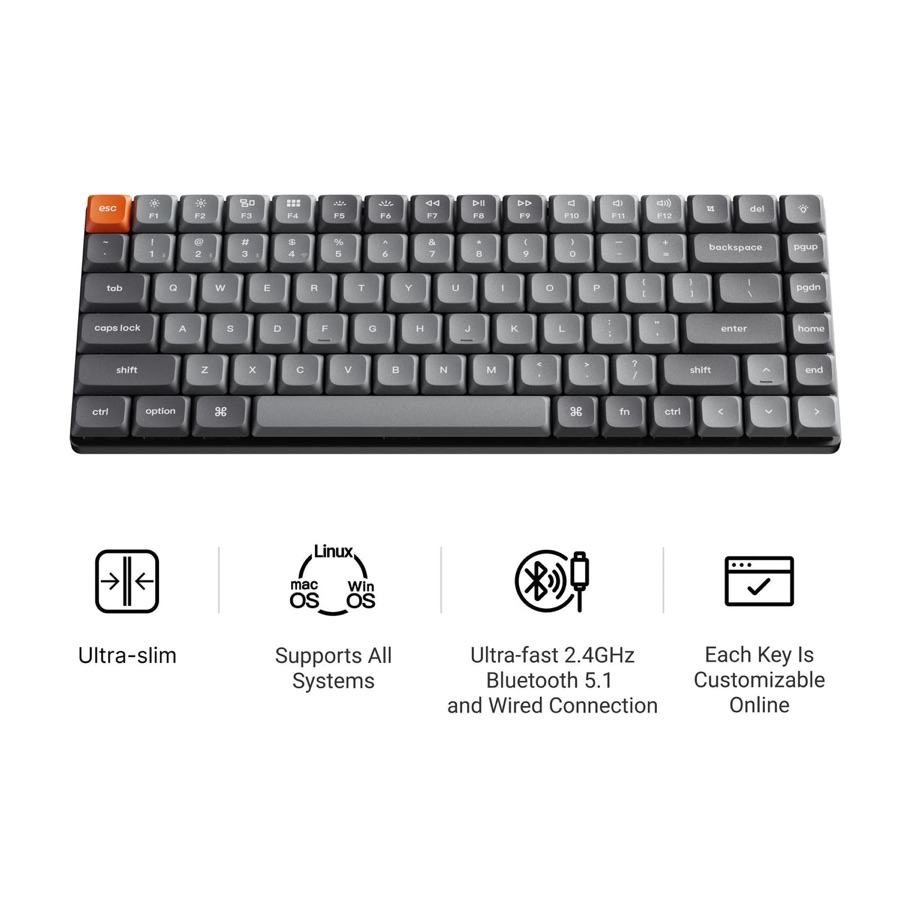 Keychron K3 Max
75% low-profile layout with QMK/VIA and three connection modes.
Check before buying: Low-profile replacement parts have narrower compatibility.
Check on Amazon -
Portable low-profile
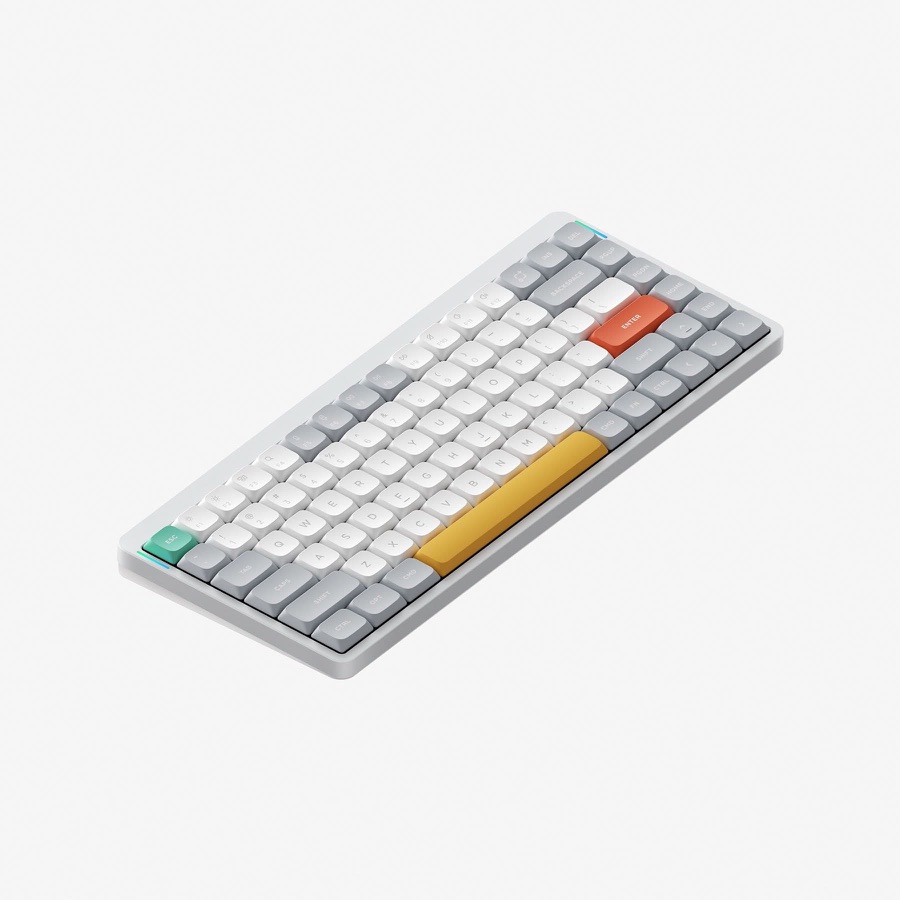 NuPhy Air75 V2
An alternative 75% design with Bluetooth, 2.4 GHz, USB and QMK/VIA.
Check before buying: Check keycap, switch and operating-system options by variant.
Check on Amazon -
Premium customizability
 Keychron Q1 Max
Aluminium 75% chassis, hot-swap sockets, wireless and QMK/VIA.
Check before buying: Premium construction does not prove quieter acoustics.
Check on Amazon -
Angled Alice layout
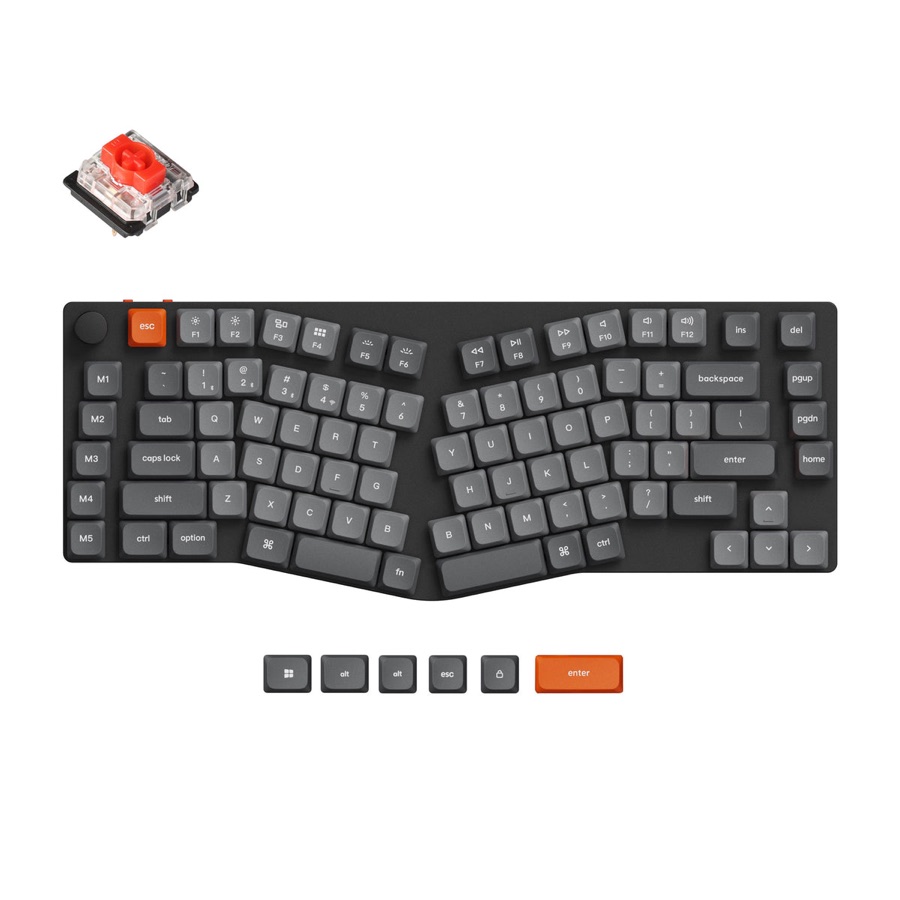 Keychron K15 Max
Low-profile Alice arrangement and wired plus wireless connections.
Check before buying: Its angled typing geometry takes practice and is not a medical treatment.
Search on AmazonOpens Amazon search results -
Wireless TKL
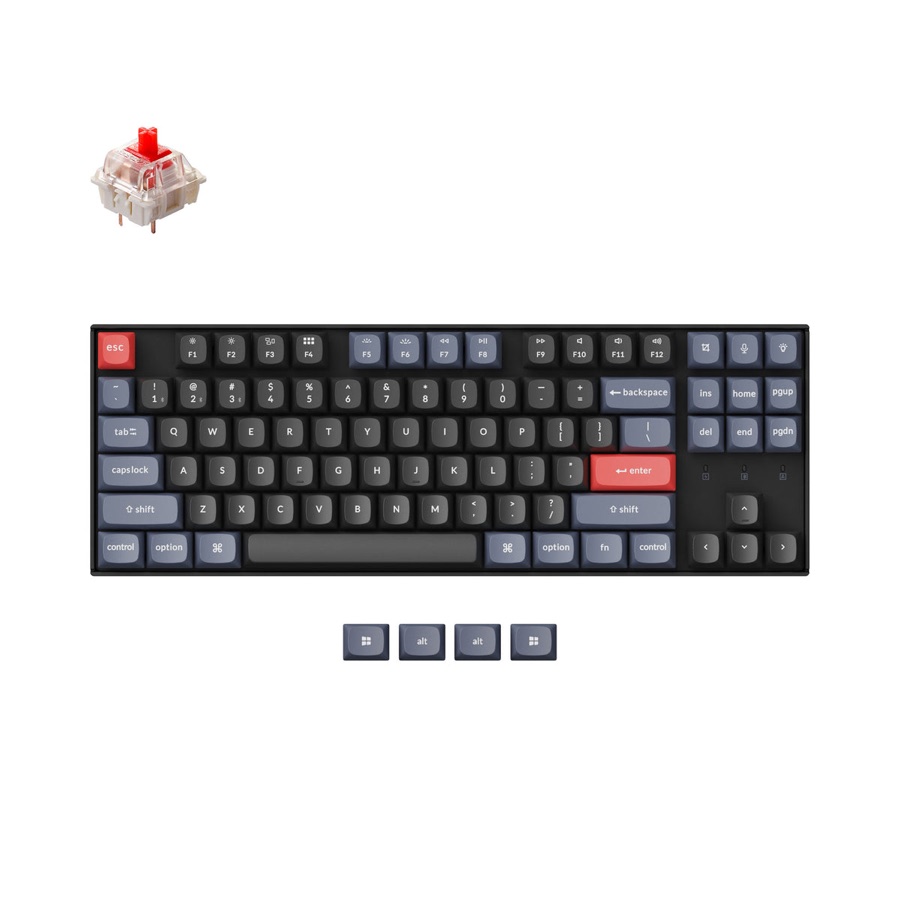 Keychron K8 Pro
Tenkeyless with full arrow/navigation cluster, Bluetooth and wired mode.
Check before buying: No dedicated numpad or indexed 2.4 GHz receiver.
Check on Amazon
Every name opens its Thockery directory entry, where you can inspect the recorded specifications, check date and source links. We do not award scores or imply firsthand testing. If office noise is your priority, start with the first two and verify that the silent switch option is actually selected.
What makes a good mechanical keyboard for office work?
An office keyboard should fit the work you actually do, not merely have a premium case or a fashionable switch. For most people, the important qualities are low distraction, a pleasant and predictable keypress, comfortable positioning, the right keys for the job, and a connection that behaves reliably. Each has a different cause inside the keyboard.
| What you want at work | What creates it in the keyboard | What to check before buying |
|---|---|---|
| Quiet typing during calls or near colleagues | Damped silent switches reduce the impacts at the bottom and top of a keypress. Stabilizers affect larger keys; case foam may reduce hollow resonance. | Does the exact switch option say silent? Do the spacebar and other large keys rattle? |
| Smooth, pleasant typing for writing or email | A linear switch moves without a designed tactile bump; a tactile switch provides resistance you can feel. Springs, friction, lubrication and keycap shape also affect feel. | Check switch type and published force/travel, but try the feel where possible. Neither red nor brown means inherently comfortable. |
| A comfortable position through a workday | Keyboard front height, incline, desk height and mouse position influence wrist and arm posture. A low-profile or Alice layout changes the geometry, not everyone’s comfort in the same way. | Can you keep your wrists reasonably straight? Is the typing surface at a suitable height? |
| Fast spreadsheet entry without hunting for layers | Full-size or 96% arrangements provide a dedicated number pad; TKL or 75% layouts usually give the mouse more space. | Count the keys you use every day, particularly the numpad, function row and navigation cluster. |
| Easy switching between work devices | Bluetooth pairing, a 2.4 GHz receiver and USB are separate connection methods; firmware controls shortcuts and remapping. | Verify which devices can be paired, whether work IT permits the receiver or software, and whether wired mode is available. |
| Consistent large-key feel and useful longevity | Stabilizers keep long keys level; replaceable switches and caps can make maintenance easier on supported boards. | Look for documented stabilizers, hot-swap support in the specific configuration and replacement-part compatibility. |
Quiet is a switch decision first, not a case label
A clicky mechanism creates a deliberate audible sound. A standard linear or tactile switch lacks that deliberate click, but its stem still makes contact at the end of the press and on the way back up. Silent variants use damping to reduce those impacts. The spacebar can still rattle if the stabilizer wire is loose, and foam can reduce case resonance without making the individual switch silent. That is why the TH80 V2’s Sea Salt Silent V2 option is a more meaningful first check for a shared office than the phrase “gasket mounted.”
To understand the mechanisms behind quieter typing, read the switch anatomy, stabilizer guide and mounting styles explanations. A quiet-sounding keyboard video is not necessarily a comparable decibel test.
Smooth to type on is not the same as silent
A linear switch can feel smooth but still make an audible impact at the end of travel. A tactile switch can give helpful feedback without an intentional click, yet still be noisy at bottom-out. The right feel depends on how hard you type and what resistance you prefer; a product description cannot establish that one switch will prevent fatigue or improve accuracy. Our linear vs tactile switch guide explains the mechanism and where published actuation figures stop being useful.
Comfort is similarly personal. The US Occupational Safety and Health Administration’s workstation guidance emphasizes keyboard placement and neutral wrist posture; it does not establish that a particular low-profile or Alice board prevents injury. Compare the K3 Max for a low-profile approach and the K15 Max for an angled Alice layout, but judge either in the context of your actual desk.
The buying shortcut: for a shared office, choose the correct silent-switch version first; for spreadsheet-heavy work, choose the layout first; for several computers, verify the connection and device-switching workflow first. The premium chassis can come later.
Office keyboard comparison: the indexed specifications
The table below is generated from Thockery’s keyboard records. Names open the complete entry, including the manufacturer or retailer source where recorded. We do not type a second set of specifications into articles, because that would go stale when an index record changes.
| Board | Price | Layout | Mount | Plate | Hot-swap | Checked |
|---|---|---|---|---|---|---|
| Epomaker TH80 V2 | $68.99 | 75% | Gasket mount | PC (flex-cut) | Yes | 2026-09-16 |
| Royal Kludge S98 | $89.99 | Other | Top-Mount Design | not published | Yes | 2026-09-16 |
| Keychron K10 Pro | $89.99 | Full size | Tray Mount | not published | Yes | 2026-09-16 |
| Keychron K4 Max | $99.99 | Other | not published | not published | Yes | 2026-09-16 |
| Satechi SM1 | $99.99 | Other | not published | not published | not stated | 2026-09-20 |
| Keychron K3 Max | $84.99 | 75% | not published | not published | Yes | 2026-09-16 |
| NuPhy Air75 V2 | $119.95 | 75% | not published | not published | not stated | 2026-09-16 |
| Keychron Q1 Max | $209.00 | 75% | Gasket-mounted | Aluminium or steel | Yes | 2026-09-09 |
| Keychron K15 Max | $99.99 | Alice or split | not published | not published | Yes | 2026-09-16 |
| Keychron K8 Pro | $74.99 | TKL | Tray Mount | not published | Yes | 2026-09-16 |
Read the price column as a historical reference, not a live quote. The date beside an entry is when its data was checked, and an assembled-versus-barebone or switch variant can change what the listed starting price actually buys. Shipping, tax and local keyboard layouts may change the checkout total.
Quiet mechanical keyboards for a shared office
Epomaker TH80 V2: when silence matters more than spectacle
Quiet shared office
Epomaker TH80 V2
Compact 75% mechanical keyboard with an available silent-switch configuration.
- Sea Salt Silent V2 option for office use
- USB, Bluetooth and 2.4 GHz
- No number pad
The TH80 V2 is a compact 75% board, so it retains the dedicated function row and arrow keys without occupying full-size keyboard width. Its indexed connections are USB, Bluetooth and 2.4 GHz. Epomaker offers both Creamy Jade and Sea Salt Silent V2 switches on the manufacturer listing.
That final detail matters more than the case foam or the gasket mounting. Epomaker describes the Sea Salt Silent V2 as a silent linear with damped-feeling keystrokes. The default product variant may show Creamy Jade instead. Confirm the switch option in the actual cart, and do not infer that the standard version is equally quiet.
Trade-off: no built-in number pad. If you constantly enter numerical data, a 75% layout may be the wrong compromise even if the switches suit an office.
Royal Kludge S98: a quiet-option board with a number pad
Quiet typing with number pad
Royal Kludge S98
96% layout that retains number entry without taking up full-size desk width.
- Silent Purple switch option
- USB, Bluetooth and 2.4 GHz
- Compressed navigation-key spacing
The S98 uses a compact 96-key arrangement. It is an alternative for someone who wants a number pad without the full horizontal spacing of a conventional 100% keyboard. The indexed listing includes Silent Purple, tactile Beige and linear Cream switch options, plus wired, Bluetooth and 2.4 GHz connections.
On the official S98 product listing, Royal Kludge notes regional restrictions for some Phantom Black and Silent Purple combinations. That means a quiet-switch model advertised in one market may not be available to another buyer.
Trade-off: a compact number pad changes spacing and muscle memory, and the screen and knob add complexity without directly improving typing. No independent sound measurements are available here.
Why gasket mount does not mean silent
A gasket mount changes how the plate or internal assembly is supported. It can affect vibration and feel, but switch noise, keycap impacts, stabilizers, case structure and desk resonance all matter. A normal red linear switch still produces bottom-out and return impacts. A brown tactile switch is not necessarily louder than a red linear switch, and neither is equivalent to a dampened silent switch.
For shared workspaces, a practical order is to select a silent-switch option, check that the large keys do not rattle excessively, and then consider a desk mat or other reversible acoustic adjustments. Our linear versus tactile comparison separates switch feel from noise, and the silent switch index is useful if you plan to change switches yourself. A sound recording made with the same microphone and desk setup would be more useful than marketing adjectives, but we have not produced one.
Full-size versus compact for actual work
Keychron K10 Pro: conventional full-size productivity
Full-size spreadsheets
Keychron K10 Pro
A familiar, full-size board suited to frequent navigation and numeric data entry.
- Dedicated number pad and navigation keys
- Bluetooth or wired USB
- Check the exact hot-swap configuration
A K10 Pro fits someone using accounting software, spreadsheets, or shortcuts on the navigation cluster. There is no layer to learn for the number pad. Its indexed specification includes wired and Bluetooth connectivity, QMK/VIA-style remapping, and a hot-swap offering.
Trade-off: it uses more desk width than a 75% board and lacks indexed 2.4 GHz receiver connectivity. Also check the exact version sold: specifications and hot-swap availability vary by configuration.
Keychron K4 Max: a narrower route to a number pad
Space-saving spreadsheets
Keychron K4 Max
Compact 96% keyboard for people who need a number pad but want more mouse room.
- Compact numpad layout
- USB, Bluetooth and 2.4 GHz
- Tighter spacing around navigation keys
The K4 Max keeps the number pad in a 96% arrangement and adds wired, Bluetooth and 2.4 GHz options. That is appealing if you want the numpad but also a closer mouse position. The manufacturer page is the configuration source in the index.
Trade-off: the compressed navigation area is not interchangeable with a full-size layout. If you reach for Home, End and Insert without looking, give the compressed arrangement serious thought before buying. See keyboard sizes and layouts for an illustrated explanation of the keys that move.
Keychron K8 Pro: wireless TKL for a smaller desk
Wireless tenkeyless
Keychron K8 Pro
Conventional TKL board with arrow keys and navigation keys, minus the numpad.
- TKL with dedicated navigation cluster
- Bluetooth and wired USB
- Hot-swap availability depends on version
The K8 Pro keeps dedicated arrows and the familiar navigation cluster while removing the number pad. Its indexed connections are Bluetooth and wired USB, and the recorded configuration offers QMK/VIA-style remapping and a hot-swappable version. That makes it worth comparing if you want fewer compromises in key placement than a compact 75% board, without the width of full-size.
Trade-off: there is no built-in number pad, and the indexed model has no 2.4 GHz dongle mode. Keychron sells multiple configurations, so verify the hot-swap version and switch choice rather than assuming every K8 Pro box contains the same parts.
Wireless, Mac and desk-sharing priorities
Satechi SM1: explicit multi-device connection types
Work across devices
Satechi SM1
Low-profile mechanical keyboard aimed at switching between a few work setups.
- Two Bluetooth device slots
- 2.4 GHz receiver and wired connection
- No VIA remapping
The SM1 has low-profile tactile switches and documents Bluetooth for two devices, plus a 2.4 GHz connection for a third, as well as wired use. That is a useful distinction for a desk with a work laptop and a personal computer.
Trade-off: Satechi states that the board does not support VIA. If you rely on complex custom layers or portable keymaps, pick a board with documented remapping support instead. Also, low-profile tactile switches are not necessarily silent.
Keychron K3 Max and NuPhy Air75 V2: two low-profile approaches
Low-profile customization
Keychron K3 Max
Slim 75% keyboard that combines three connection modes with remapping support.
- 75% low-profile layout
- Bluetooth, 2.4 GHz and USB
- QMK/VIA customization
Portable low-profile
NuPhy Air75 V2
A second slim 75% option for laptop-like height and desktop keyboard shortcuts.
- 75% low-profile layout
- USB, Bluetooth and 2.4 GHz
- QMK/VIA configuration
Both the K3 Max and Air75 V2 are 75% low-profile boards with wired, Bluetooth and 2.4 GHz connections in our index, and both are described with QMK/VIA support. Their low-profile construction may suit someone moving between a laptop keyboard and a desktop setup, but comfort is individual and cannot be established from height alone.
Trade-off: low-profile keycaps and switches are not a drop-in replacement for every conventional MX-height part. Verify the particular model’s compatible switch family before buying spares. Compare the official Keychron K3 Max and NuPhy Air75 V2 pages for currently offered layouts and switch configurations.
Keychron Q1 Max: more customization, not an automatic office upgrade
Premium customizability
Keychron Q1 Max
Aluminium 75% keyboard for a fixed desk where build and switch changes matter.
- Aluminium case and hot-swap support
- Bluetooth, 2.4 GHz and wired USB
- QMK/VIA remapping
The Q1 Max pairs a 75% layout with an aluminium chassis, Bluetooth, 2.4 GHz and USB, and QMK/VIA remapping. Hot-swap sockets leave room to change the feel and noise later. The manufacturer lists switch and assembly variants, so a headline product photo is not enough to identify your exact configuration.
Trade-off: a heavier premium board is a desktop choice, not a commute-friendly default. Its stock switches should not be described as silent without the relevant evidence. If the main problem is noisy meetings, a less expensive board with true silent switches can be the better specification match.
Ergonomic layouts: what an Alice board changes
Alice-style layout
Keychron K15 Max
Low-profile keyboard with an angled layout instead of conventional straight typing rows.
- Angled Alice key arrangement
- USB, Bluetooth and 2.4 GHz
- Different layout takes practice
The Keychron K15 Max puts the left and right typing areas at an angle rather than in straight rows. It combines that Alice arrangement with a low-profile design and all three common connection methods.
The benefit you can establish from the layout is a different wrist and forearm position. Whether that is more comfortable for a particular person requires trying it. Alice is not a split keyboard with independently movable halves, and no keyboard should be presented as a treatment for repetitive-strain symptoms without clinical evidence.
Trade-off: some key positions and non-standard keycap sizes take adjustment. Start with choosing a keyboard size and keyboard layout differences if you have only used a conventional layout.
Four checks before ordering an office keyboard
- What happens when you join a video call? Verify the installed switch variant, not just the product family. In-person sound testing in a quiet room is better than descriptions like “soft” or “thocky.”
- Do you need a number pad or a dedicated function row? Full-size, 96%, 75% and 65% are not interchangeable if your workflow uses specific keys without modifiers.
- Can your work computer use its connection method? Some employers block USB receivers or companion configuration software. Bluetooth policies also vary. A reliable wired fallback can be more valuable than another advertised wireless mode.
- Will the layout and firmware work on your operating system? Check Mac modifier placement, Windows function keys, ISO/ANSI availability, firmware compatibility and whether the exact keyboard variant supports VIA or another remapping tool.
Do not assume that choosing a mechanical keyboard by itself will make you type faster, reduce fatigue, or improve your posture. Keyboard position, breaks, chair and desk height, and your own technique matter independently of switch construction.
Frequently asked questions
Are mechanical keyboards too loud for an office?
Not necessarily. Some switch and case combinations are loud, others can be quiet. Look for a specified silent switch, listen to a relevant recording if possible, and account for the sound of the large stabilized keys. Thockery has not measured noise levels for these candidates.
Are red switches or brown switches better for work?
Red generally describes a linear switch and brown commonly a tactile one, but the labels are not standardized across every brand. Neither guarantees quiet operation or improved productivity. For more detail, see linear versus tactile switches.
Is a 75% keyboard enough for office work?
Usually, if you do not use a number pad much. A typical 75% retains the function row and arrows but compresses navigation keys. If your day is mostly spreadsheets or accounting, compare the K10 Pro or K4 Max before choosing a smaller layout.
Is Bluetooth or 2.4 GHz better for a work keyboard?
Both can work well. Bluetooth avoids a receiver, which matters on laptops with few USB ports. A 2.4 GHz connection uses a receiver and can be convenient for desktops, but either can be restricted by company IT policy. Check documented device switching, sleep behavior, and whether wired mode works before deciding.
What is the best mechanical keyboard for Mac office work?
There is no universal winner without knowing your layout and software. Start with boards that publish Mac support and modifier arrangements, such as the indexed Keychron options here, and confirm the exact regional layout before buying. Do not assume that a product being Bluetooth-capable makes every Mac-specific shortcut correct out of the box.
How this guide was researched
The candidates were selected from Thockery’s existing keyboard index for specific office constraints: published silent-switch options, full-size or compact-numpad layouts, low-profile designs, connection methods, and remapping support. Product records contain maker or vendor source links and a last-checked date; the comparison table renders directly from those records.
For additional clarification, see the primary manufacturer listings for Epomaker TH80 V2, Royal Kludge S98, Keychron K4 Max, Keychron Q1 Max, and Keychron K3 Max.
What we did not do: no hands-on typing test, microphone comparison, latency measurement, battery-runtime test, or long-term reliability survey. A blank field in the index means no sufficiently reliable figure was recorded, not that a feature is absent. Our research and disclosure policy explains how records are sourced and corrected.
The most useful next step is not to buy the first board with a high rating. Decide whether you need a silent switch, a number pad or a particular connection first; use this guide and the underlying index to eliminate models that cannot meet that requirement.